Plugin Vault Logo

Sprint Velocity Gadget for Jira

Sprint Velocity Gadget is a Jira dashboard gadget that shows a velocity chart you can actually trust. Unlike Jira's built-in velocity chart — which is locked inside Scrum boards, limited to 7 sprints, and sometimes shows numbers that don't add up — this gadget lives on your dashboard and lets you click any sprint bar to see exactly which issues were counted and why.

Sprint Velocity Gadget icon
Get it on Atlassian Marketplace

How to install

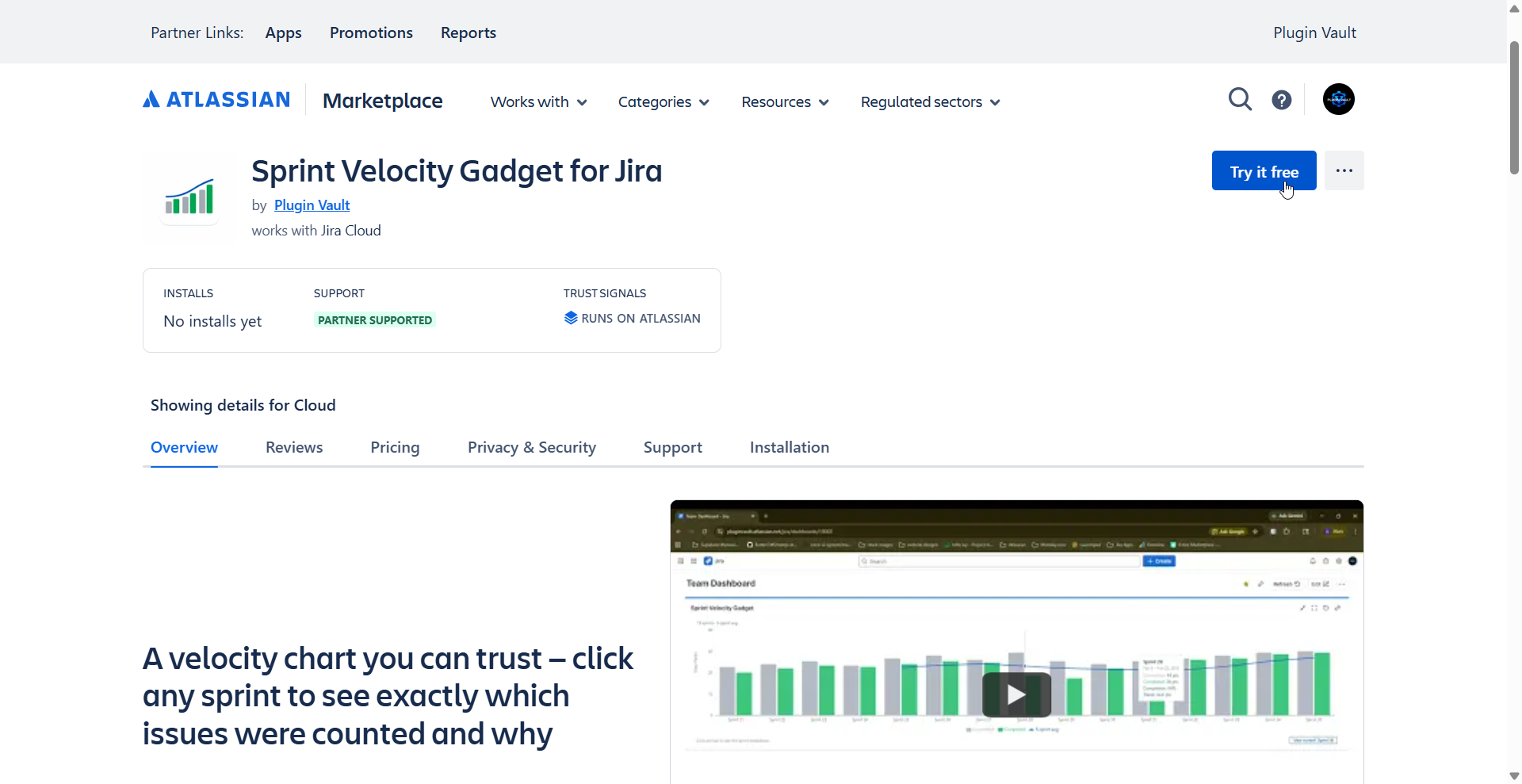
  1. Visit the Atlassian Marketplace listing and click Try it free to start your trial. Select the Jira site you want to install it on and approve the required permissions.
Atlassian Marketplace listing showing the Try it free button for Sprint Velocity Gadget
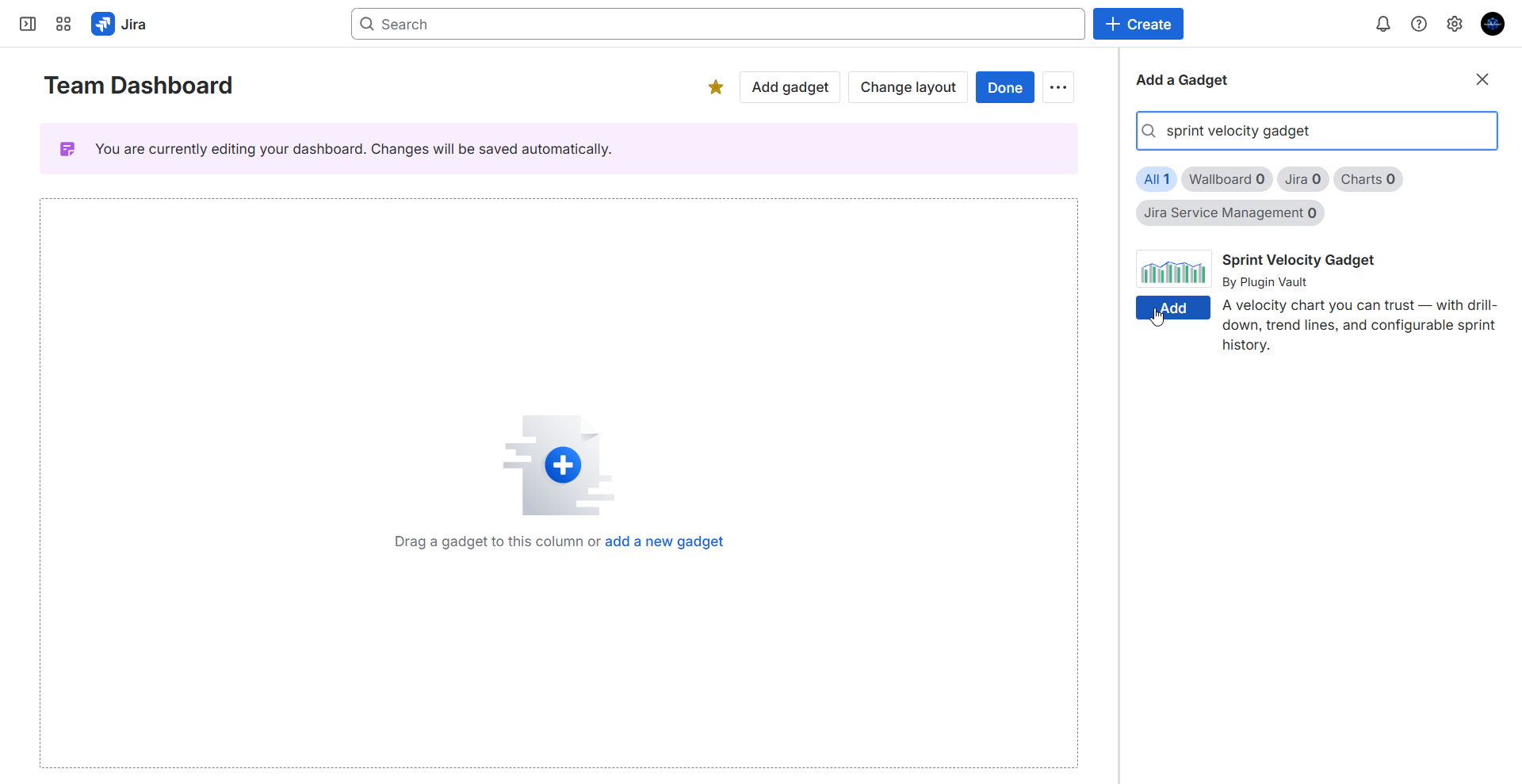
Jira dashboard showing the Add a Gadget panel with Sprint Velocity Gadget search result and Add button
  1. In Jira, open Dashboards from the top navigation and select an existing dashboard (or click Create dashboard if you don't have one yet). Click Add gadget, search for "Sprint Velocity", and click Add.

New to Jira dashboards? You'll find them in the top Jira navigation. If you don't have one yet, creating a new dashboard takes about 30 seconds — just give it a name and save.
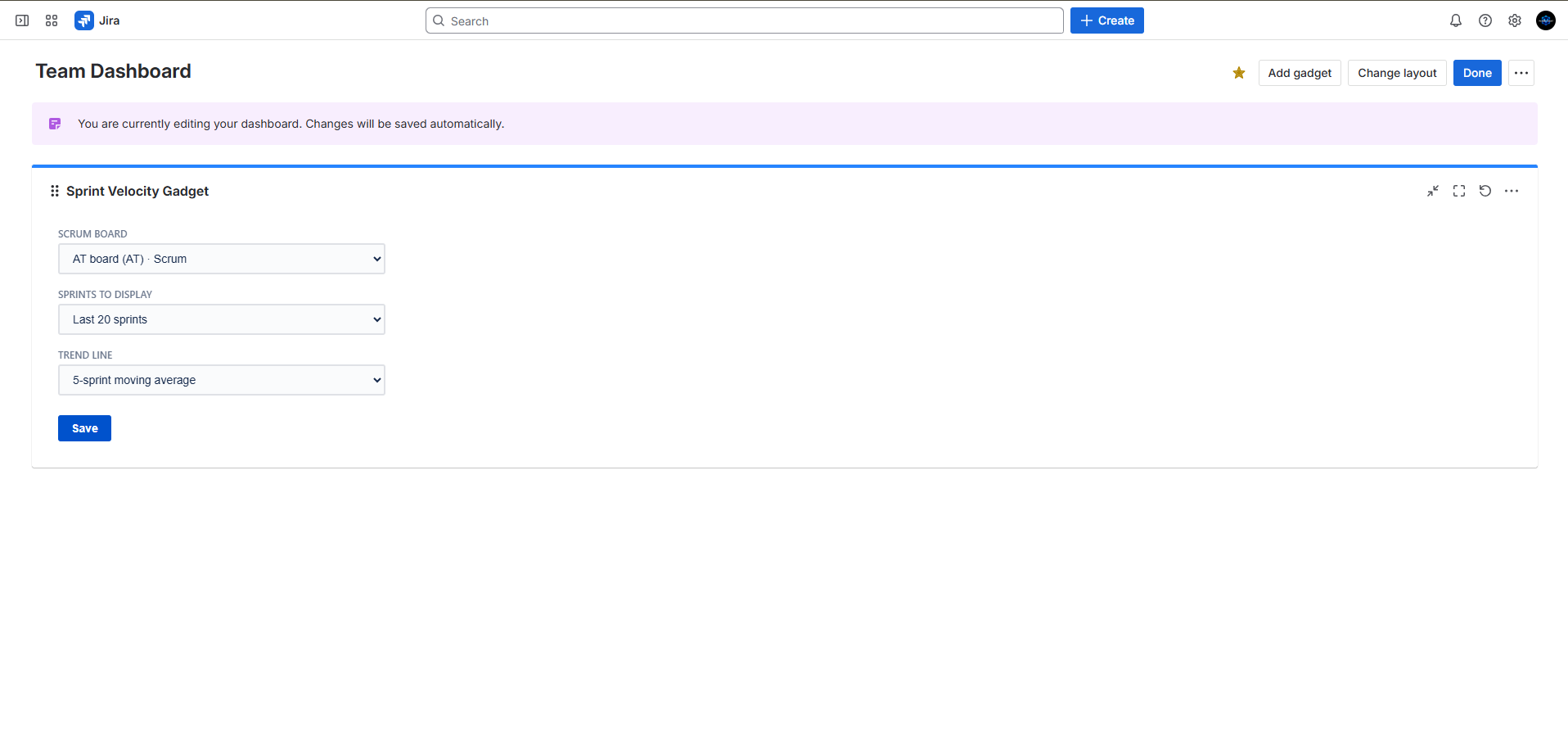
  1. Configure the gadget by selecting your Scrum board, the number of sprints to display (5, 10, 15, or 20), and your preferred trend line window (3 or 5-sprint moving average). Click Save.
Sprint Velocity Gadget configuration screen showing Scrum Board, Sprints to Display, and Trend Line settings

How to use

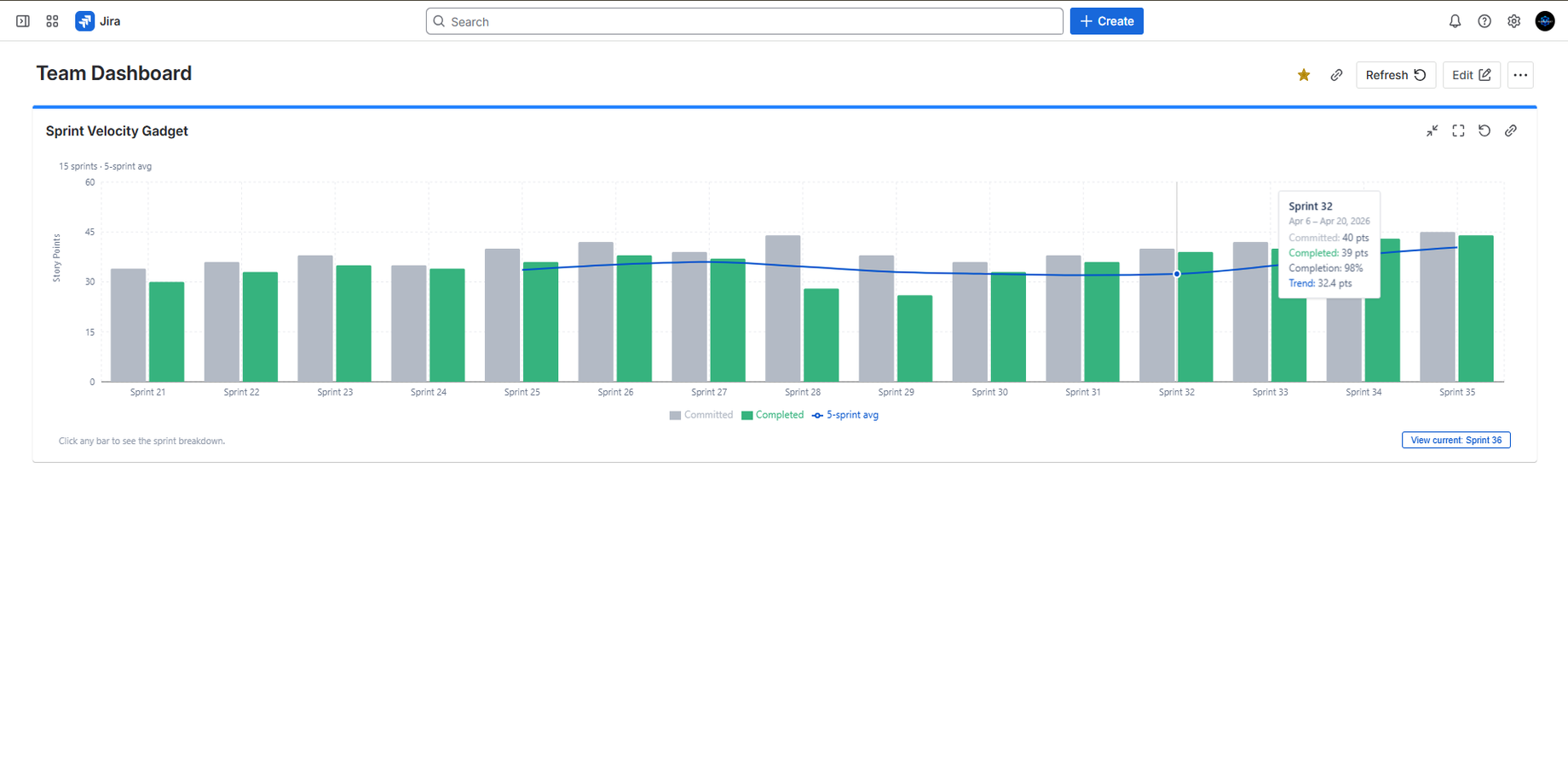
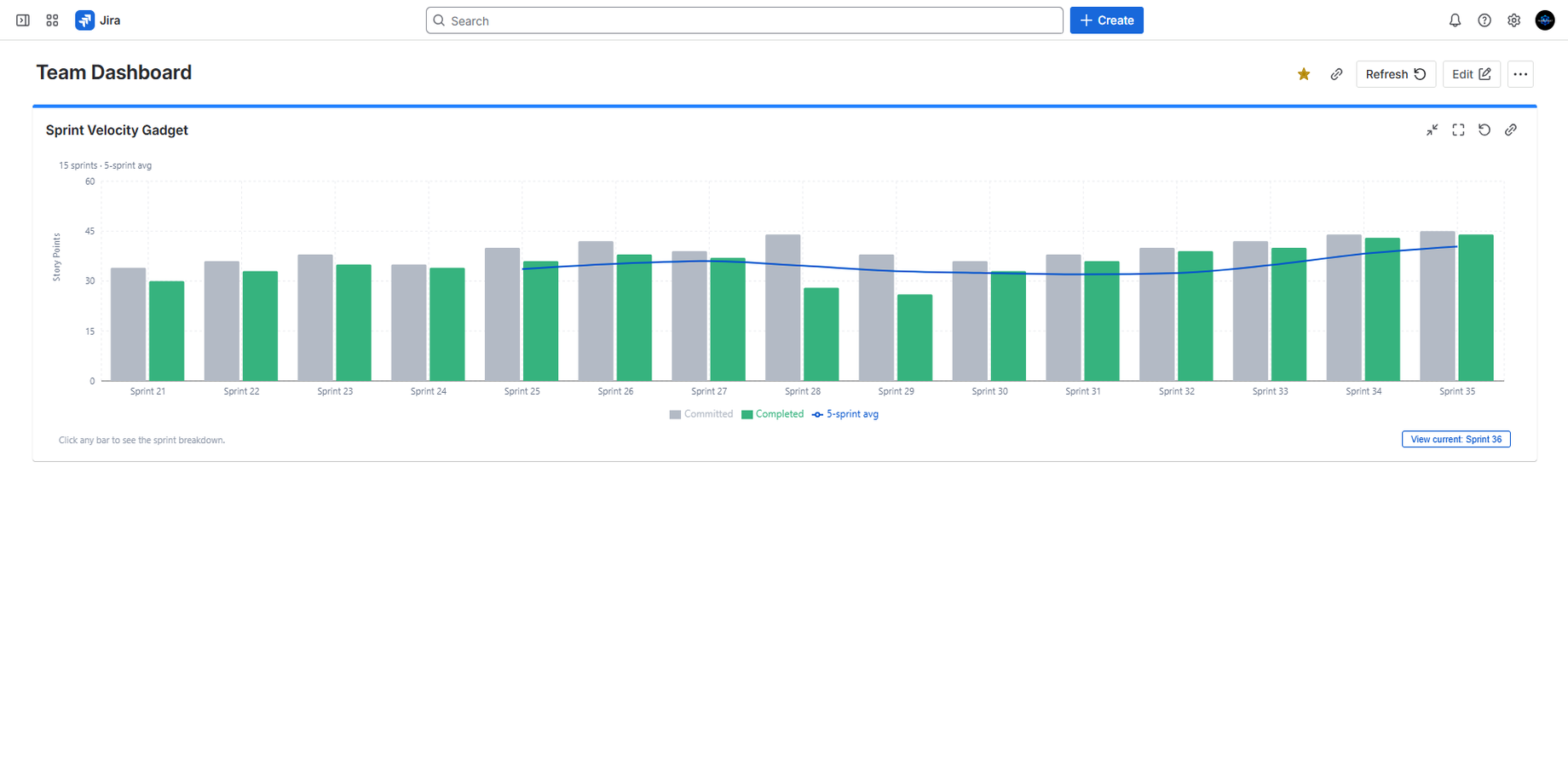
  1. Your velocity chart loads automatically — view committed vs completed story points across your sprint history with a moving average trend line to spot patterns.
Velocity chart showing committed vs completed story points per sprint with trend line
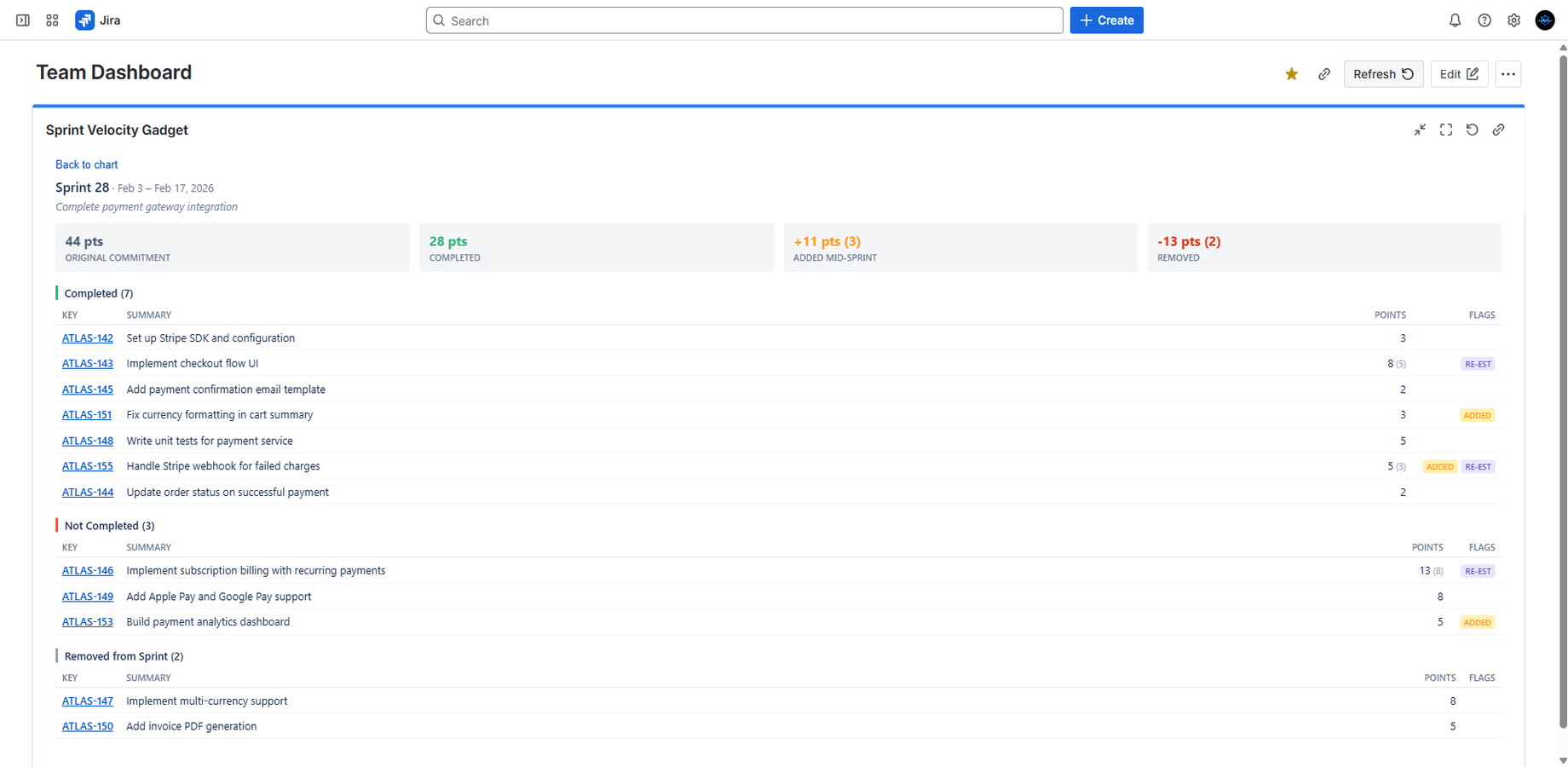
Sprint drill-down showing completed, not completed, and removed issues with ADDED and RE-EST badges
  1. Click any sprint bar to drill down into the full breakdown — see which issues were committed, added mid-sprint (ADDED), re-estimated (RE-EST), or removed.

Features

  • Committed vs completed story points per sprint
  • Configurable sprint history (5, 10, 15, or 20 sprints)
  • Moving average trend line (3 or 5-sprint window)
  • Click-to-drill-down with per-issue breakdown
  • Mid-sprint scope change tracking (ADDED badge)
  • Re-estimation tracking (RE-EST badge)
  • Removed issues tracking
  • Active sprint progress view
  • Sprint date ranges in tooltips and drill-down
  • Direct links to Jira issues from drill-down
  • Works with company-managed and team-managed Scrum projects
Sprint Velocity Gadget showing hover tooltip with sprint date range and point breakdown
Get it on Atlassian Marketplace